Wirex Support and Compliance teams can now create tickets directly in your B2B support portal. These tickets appear in your Ticket view page alongside your existing tickets. No setup is needed on your side — the new tickets simply show up and behave like any other ticket in your portal.
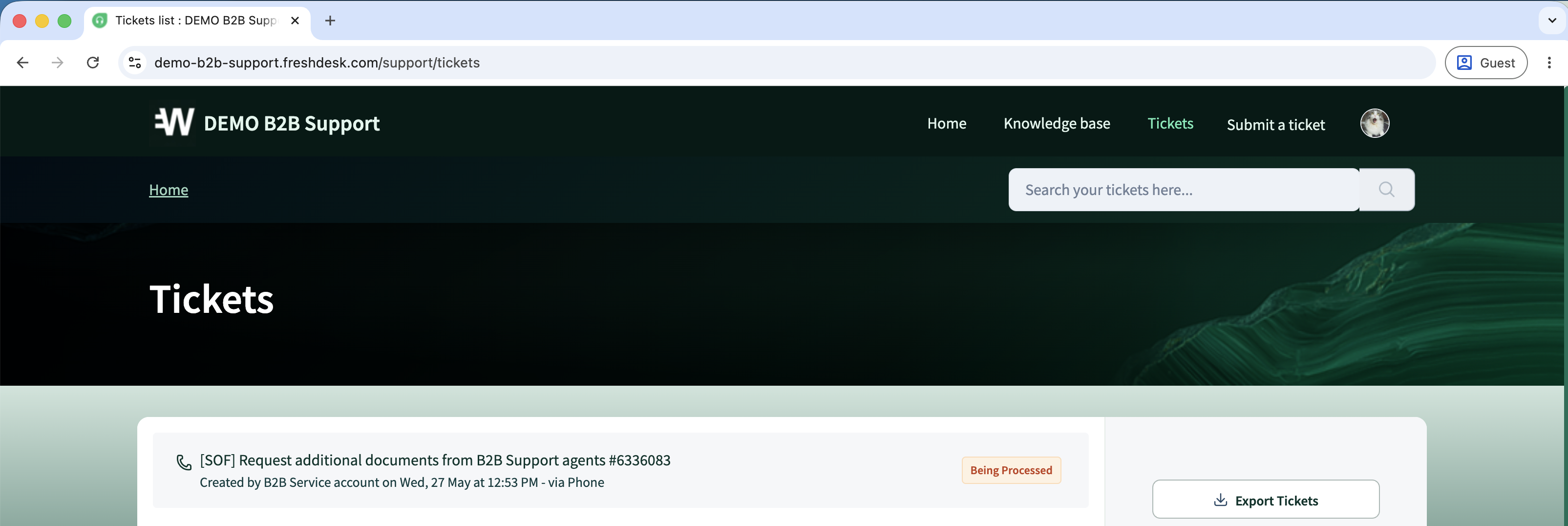
What's new
Until now, when Wirex needed information from you about one of your end customers — for example, source-of-funds documents, KYC details, or a compliance notification — we would typically reach out by email.
Going forward, these requests will arrive as structured tickets in your Wirex B2B support portal: the same Freshdesk portal you already use to submit and manage your own tickets.
How to handle these tickets
Exactly the same way you handle your own tickets today.
- Open the ticket from your Ticket view page.
- Review the request and the customer UID.
- Reply directly in the portal — your reply reaches the Wirex agent who opened the ticket.
- Attach any supporting documents if required.
Your existing agent assignment, status, and workflow rules apply automatically.
Frequently asked questions
Are these new tickets visible to other Wirex B2B partners? No. Tickets created by Wirex for your portal are visible only to your team/company.
What if I miss a deadline mentioned in the ticket? Reply directly in the ticket explaining the delay. Wirex Support will follow up via the same ticket. For urgent matters, please contact Wirex B2B2C Support via chat.
Can I assign a Wirex-created ticket to a specific agent on my side? Unfortunately, it's not supported.
Was this article helpful?
That’s Great!
Thank you for your feedback
Sorry! We couldn't be helpful
Thank you for your feedback
Feedback sent
We appreciate your effort and will try to fix the article